How to Change Photo and Signature in PAN Card (Online & Offline Guide)!
Updating your PAN card photo or signature is essential if your existing details do not match your current appearance or signature. A mismatched photo or signature can cause KYC failures, banking issues, and income tax verification problems.
In this guide, you’ll learn how to change your photo and signature in a PAN card in 2026, both online and offline, along with required documents, fees, processing time, and photo/signature size requirements.
Why Do You Need to Change Photo or Signature in PAN Card?
You may need to update your PAN card photo or signature if:
- Your photo is unclear or outdated
- Your signature does not match bank records
- PAN was issued at a young age
- Signature mismatch during KYC or verification
- Errors occurred during initial PAN application
Updating these details ensures smooth financial transactions and identity verification.
Can You Change PAN Card Photo and Signature?
✅ Yes, you can update both your photo and signature by applying for a PAN correction / update through the official PAN service provider.
Important:
Your PAN number remains the same. Only the photo or signature is updated
Online Method
How to Change Photo and Signature in PAN Card Online
Follow these steps to update your PAN card photo and signature online:
Step 1: Visit the Official PAN Portal
Go to the official PAN correction application page managed by Protean eGov (NSDL).
Step 2: Select Application Type
Choose:
“Changes or Correction in Existing PAN Data”
Step 3: Enter PAN Details
- PAN number
- Aadhaar number (if applicable)
- Basic personal information
Step 4: Select Fields to Update
Tick the options for:
- Photo
- Signature
Step 5: Upload Photo and Signature
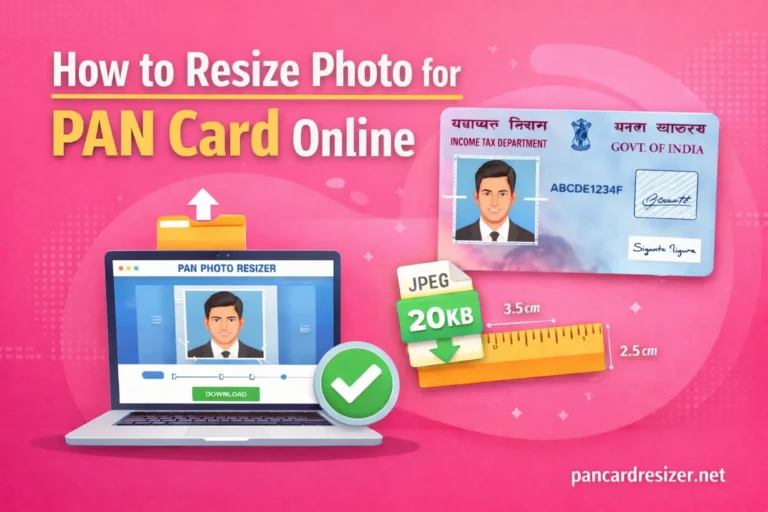
Upload your passport-size photograph and signature image in the required format.
👉 Use pancardresizer.net to resize your PAN photo and signature correctly before uploading.
Step 6: Upload Supporting Documents
Submit proof of:
- Identity
- Address
- Date of birth (if required)
Step 7: Make Payment
Pay the PAN correction fee online.
Step 8: Submit and Track Application
After submission, you’ll receive an acknowledgement number to track your PAN update status.
Offline Method
How to Change Photo and Signature in PAN Card Offline
If you prefer the offline method, follow these steps:
- Download the PAN Correction Form
- Fill in your PAN details clearly
- Paste recent passport-size photograph
- Sign in the signature box
- Attach required documents
- Submit the form at a PAN service centre
- Pay the applicable fee
You’ll receive an acknowledgement slip for tracking.
Documents Required for PAN Photo & Signature Update
You may need one or more of the following:
Proof of Identity
- Aadhaar Card
- Passport
- Voter ID
- Driving Licence
Proof of Address
- Aadhaar Card
- Utility Bill
- Bank Statement
Other Requirements
- Existing PAN card
- Passport-size photo
- Scanned signature
PAN Photo and Signature Size Requirements
Uploading incorrectly sized images is a common reason for PAN update rejection.
PAN Photo Specifications
- Size: 4.5 cm × 3.5 cm
- File size: 10 KB – 200 KB
- Format: JPG / JPEG
- Background: White
PAN Signature Specifications
- File size: 5 KB – 50 KB
- Format: JPG / JPEG
- Clear black/blue ink signature on white paper
🔧 Tip:
Use pancardresizer.net to instantly resize your PAN photo and signature without quality loss.
Processing Time for PAN Update
- Normal processing: 10–15 working days
- Updated PAN card is sent via post or email (e-PAN)
Common Mistakes to Avoid
❌ Uploading incorrect image size
❌ Blurry or shadowed photo
❌ Signature not matching official records
❌ Wrong document upload
❌ Incomplete form submission
Using the correct image size tool helps avoid delays.
Final Words
Updating your PAN card photo and signature is a simple but crucial process. Whether you choose online or offline, ensure your photo and signature meet official requirements to avoid rejection.
For fast and accurate resizing, trust pancardresizer.net!
Your one-stop solution for PAN photo and signature resizing.