How to Download PAN Card Online 2026?
Downloading a PAN Card or e-PAN online is simple, fast, and completely paperless if you follow the correct method. Hence, we at PanCardResizer.net, have come up with the solution. Whether you need an instant e-PAN, a duplicate PAN PDF, or want to download PAN using Aadhaar or PAN number, our guide explains all official ways step-by-step.
Quick Answer: How to Download PAN Card Online
You can download your PAN Card or e-PAN online from the Income Tax Department website, NSDL (Protean), or UTIITSL portal using your Aadhaar number, PAN number, date of birth, or acknowledgement number.
Eligible users can get an Instant e-PAN PDF free of cost within minutes.
1. What is PAN Card and e-PAN?
PAN Card
PAN (Permanent Account Number) is a 10-digit alphanumeric identity issued by the Income Tax Department of India. It is mandatory for:
- Filing income tax returns
- Opening bank accounts
- High-value financial transactions
- KYC verification
e-PAN Card
e-PAN is the digital version of a PAN card, issued in PDF format. It contains:
- PAN number
- Name & date of birth
- Photograph & signature
- Secure QR code
e-PAN is legally valid and can be downloaded online anytime.
2. Is e-PAN Card Valid?
Yes.
An e-PAN card is fully valid and legally accepted for all purposes where a physical PAN card is required, including banking, income tax filing, and KYC verification.
3. Eligibility to Download PAN Card Online
You can download PAN or e-PAN online if:
- PAN has already been issued
- Aadhaar is linked (for instant e-PAN)
- Mobile number is active for OTP verification
- You applied through NSDL, UTIITSL, or Income Tax portal
Not eligible for Instant e-PAN if:
- You already have a PAN
- Aadhaar DOB is incomplete
- Applicant is a minor
- Applicant is a foreign citizen
4. Different Ways to Download PAN Card Online
You can download PAN card using:
- Aadhaar number
- PAN number + Date of Birth
- Acknowledgement number
- Duplicate / Reprint PAN facility
Each method is explained below.
5. How to Download Instant e-PAN from Income Tax Website (FREE)
This is the fastest method for first-time PAN applicants.
Steps:
- Visit the Income Tax e-Filing portal
- Click on “Instant e-PAN” under Quick Links
- Select Get New e-PAN
- Enter Aadhaar number
- Verify OTP sent to Aadhaar-linked mobile
- Submit details and download e-PAN PDF
Time taken: 10–30 minutes
Fees: Free
Format: PDF
📌 Available only if PAN was never allotted earlier.
6. How to Download e-PAN Card from NSDL (Protean)
You can download e-PAN from NSDL using two methods.
Method 1: Using Acknowledgement Number
- Enter acknowledgement number
- Enter date of birth/incorporation
- Verify captcha and submit
- Download e-PAN PDF
Method 2: Using PAN + Date of Birth
- Enter PAN, DOB, Aadhaar (optional)
- OTP verification
- Download e-PAN
Free downloads: 3 times within 30 days
After 30 days: ₹8.26 per download
7. How to Download e-PAN Card from UTIITSL
Applicants who applied through UTIITSL can download e-PAN as follows:
Steps:
- Visit UTIITSL e-PAN download page
- Enter PAN and date of birth
- Verify mobile/email via OTP
- Pay fee if applicable
- Download e-PAN PDF
📌 Mobile number or email must be registered with PAN records. Also, for correct pan photo, doc, or signature resizing, visit pancardresizer.net.
8. How to Download Duplicate / Reprint PAN Card
If your PAN card is lost, damaged, or misplaced, you can request a duplicate PAN card.
Reprint PAN Card Process:
- Visit NSDL Reprint PAN portal
- Enter PAN and Aadhaar
- Verify OTP
- Download PAN PDF
- Optionally order physical PAN card
9. How to Check e-PAN Card Status
For Instant e-PAN:
- Enter Aadhaar number
- Verify OTP
- Check status and download PAN
For NSDL / UTIITSL Applications:
- Use acknowledgement number
- Track status online
10. Charges for PAN Card Download
| Service | Fees |
|---|---|
| Instant e-PAN | Free |
| e-PAN within 30 days | Free (3 times) |
| e-PAN after 30 days | ₹8.26 |
| Duplicate PAN | Applicable |
11. Common Errors & How to Fix Them
❌ OTP not received
✔ Ensure mobile is linked with Aadhaar
❌ PAN not found
✔ Use correct portal (NSDL or UTIITSL)
❌ Download failed
✔ Retry later or clear browser cache
❌ Incorrect details in PAN
✔ Apply for PAN correction online
12. Difference Between e-PAN and Physical PAN Card
| e-PAN Card | Physical PAN Card |
|---|---|
| Digital PDF | Physical card |
| Instant download | Delivered by post |
| No risk of loss | Can be damaged |
| Eco-friendly | Plastic/laminated |
📌 Both are equally valid.
13. Important PAN Card Rules You Must Know
- Only one PAN per person is allowed
- Holding multiple PAN cards can lead to ₹10,000 penalty
- PAN card has lifetime validity
14. FAQs on PAN Card Download
How can I download PAN card online?
You can download PAN card online from the Income Tax portal, NSDL, or UTIITSL using Aadhaar, PAN number, or acknowledgement number.
Can I download PAN without acknowledgement number?
Yes, you can use PAN number and date of birth instead.
How long does instant e-PAN take?
Instant e-PAN is usually issued within 10–30 minutes.
Is e-PAN valid for banks and KYC?
Yes, e-PAN is fully valid and accepted everywhere.
Can I download PAN from DigiLocker?
Yes, once issued, PAN can also be accessed via DigiLocker.
What if my PAN photo or signature is unclear?
You should apply for PAN correction before using it for official purposes.
Important Tip Before Using Your PAN Card
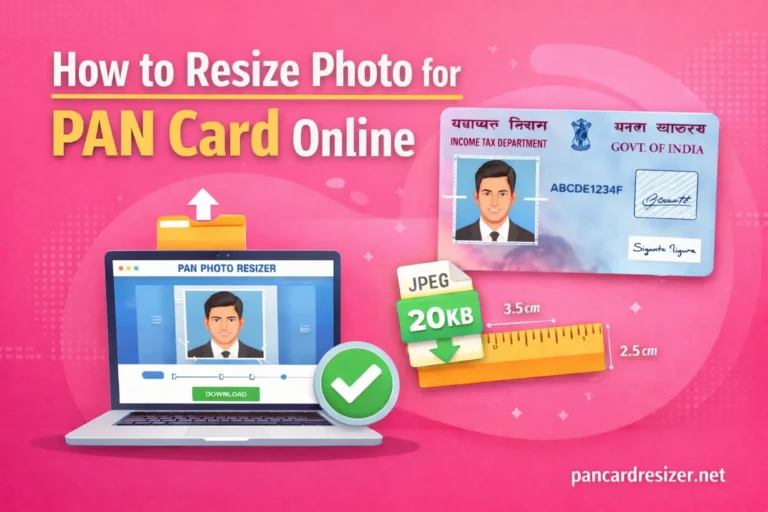
Before submitting or printing your PAN card, make sure your photo and signature meet official PAN size and clarity requirements.
You can easily fix this using a free PAN Card Photo & Signature Resizer tool online, ensuring error-free acceptance.
Final Words
Thanks for visiting PanCardResizer.net! Downloading your PAN Card or e-PAN online is fast, secure, and convenient when done through official government portals. Always use the correct website, keep your Aadhaar and mobile number updated, and store your e-PAN PDF safely for future use.